


Demo projects
Payment Request
Project description
👥 User Roles:
📄 Mandatory Data for Each Request:
🔄 Automatic Assignment:
🔐 Restrictions:
- Requesters: Can only see their own requests.
- Accountants: Can view and manage all requests.
📄 Mandatory Data for Each Request:
- Requester’s email address
- Amount and currency
- Expense type
- Account number
- Attached invoice file
🔄 Automatic Assignment:
Requests are automatically assigned to an accountant based on the expense type.
🔐 Restrictions:
- Only accountants can be assignees.
- Only accountants can change the assignee.
- Only the assigned accountant can change the payment status (e.g., Pending, Under Review, Approved, Rejected).

Agile Board

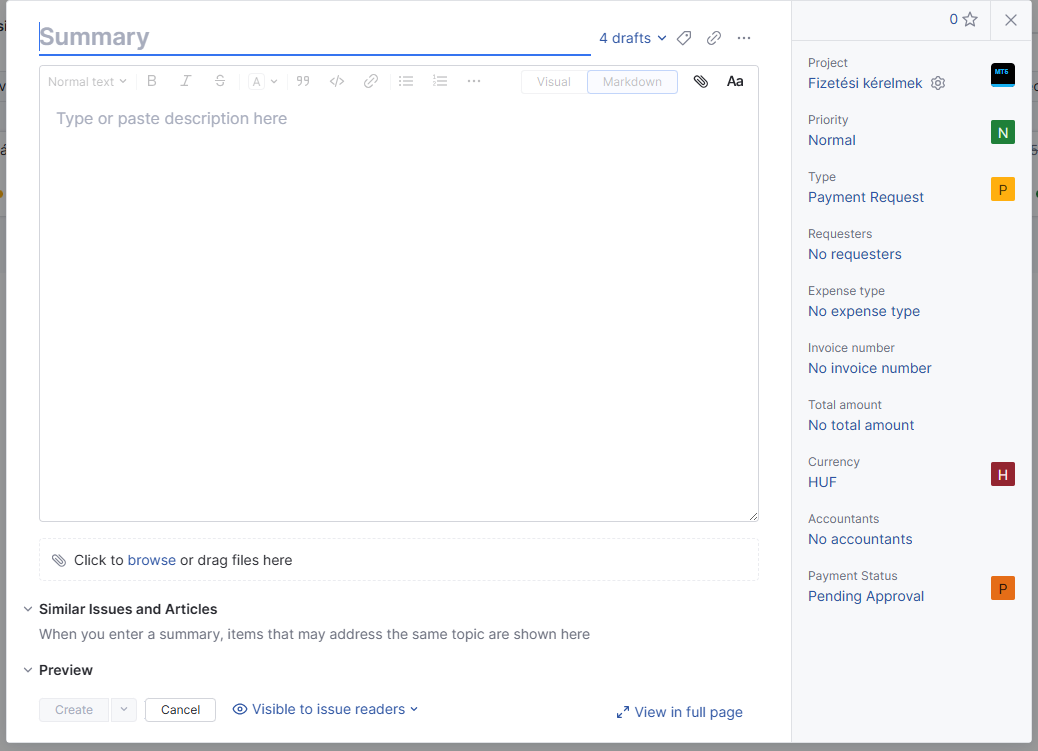
Creating a request
The requester creates the payment request in YouTrack.
📄 Mandatory Fields:
📄 Mandatory Fields:
- Email address
- Amount and currency
- Expense type
- Account number
- Attached invoice file
Filled request
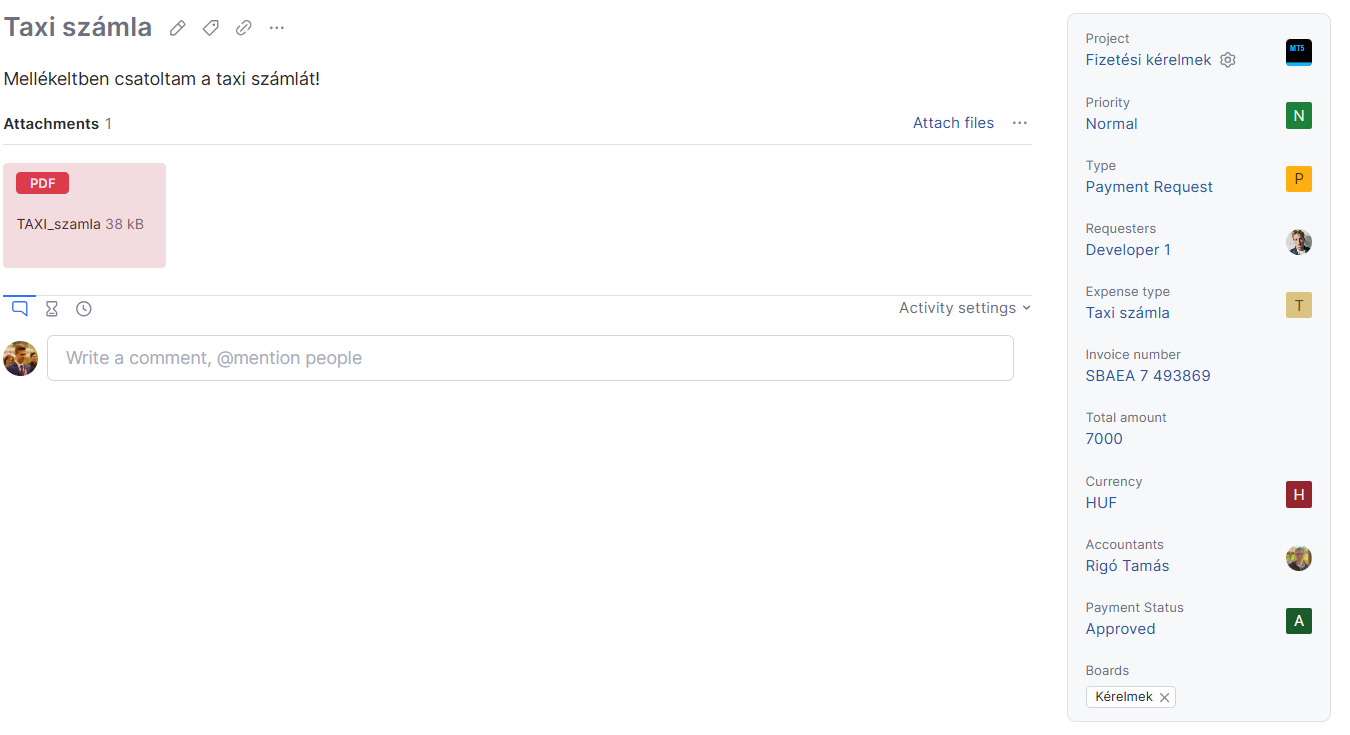
The requester has completed the payment request in YouTrack.
📄 Mandatory Fields:
- Amount and currency (Completed)
- Expense type (Completed)
- Account number (Completed)
- Attached invoice file (Attached)
✅ The request has been approved by the accountant.
📄 Mandatory Fields:
- Amount and currency (Completed)
- Expense type (Completed)
- Account number (Completed)
- Attached invoice file (Attached)
✅ The request has been approved by the accountant.
Request visibility
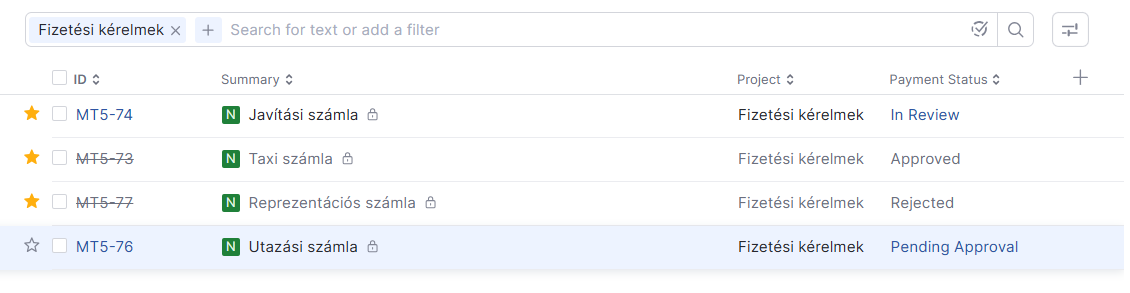
🔐 Visibility
- The requester can only see their own requests.
- Accountants can view all requests.
- The requester can only see their own requests.
- Accountants can view all requests.

Report


Other workflows
🔄 Automatic Assignment
The system automatically assigns the request to the appropriate accountant based on the expense type.
📌 Processing and Status Management
Only the assigned accountant can change the payment status:
- Pending
- Under Review
- Approved
- Rejected
The accountant can manually change the assignee if necessary.
The system automatically assigns the request to the appropriate accountant based on the expense type.
📌 Processing and Status Management
Only the assigned accountant can change the payment status:
- Pending
- Under Review
- Approved
- Rejected
The accountant can manually change the assignee if necessary.