Demo projects
Scrum Board
Project description
There are two types of tasks in the project:
- User Story: these are the larger functional units.
- Task: these are the smaller, specific actionable items.
You use the Type field to indicate which type an issue belongs to. This field can be customized in the project settings.
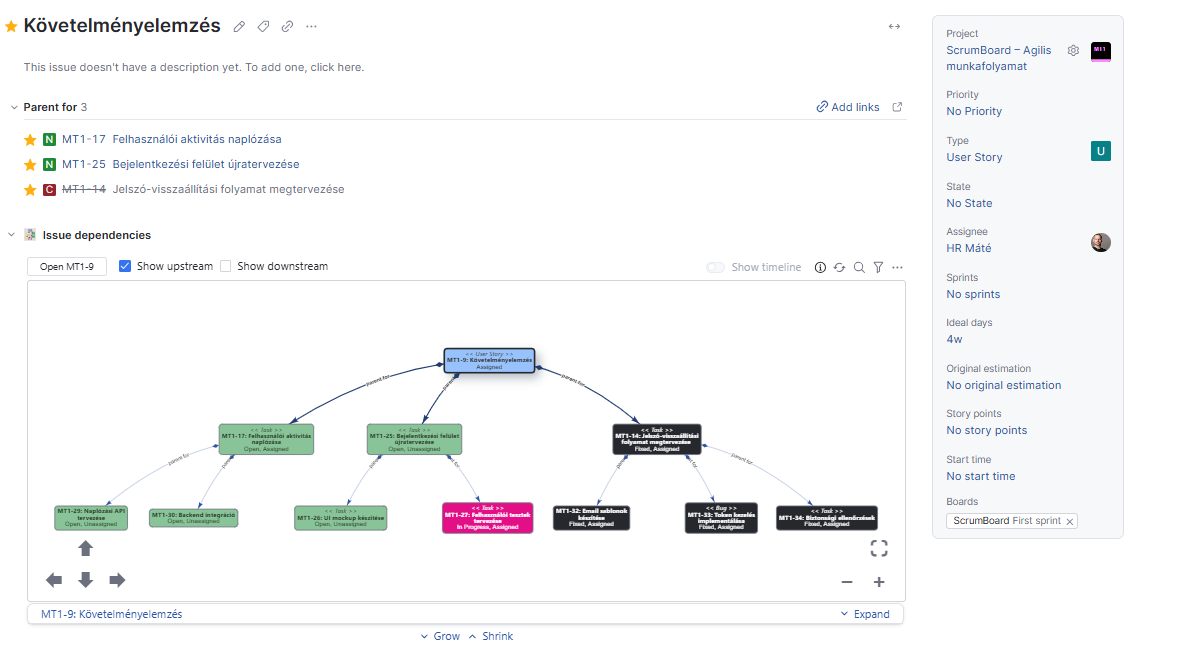
2. 🔗 Relationships
There is a parent-child relationship between user stories and tasks. This means that a user story “contains” its related tasks. You can set this manually in the issue view using the “Link issue” function.
3. 🏁 Scrum Board
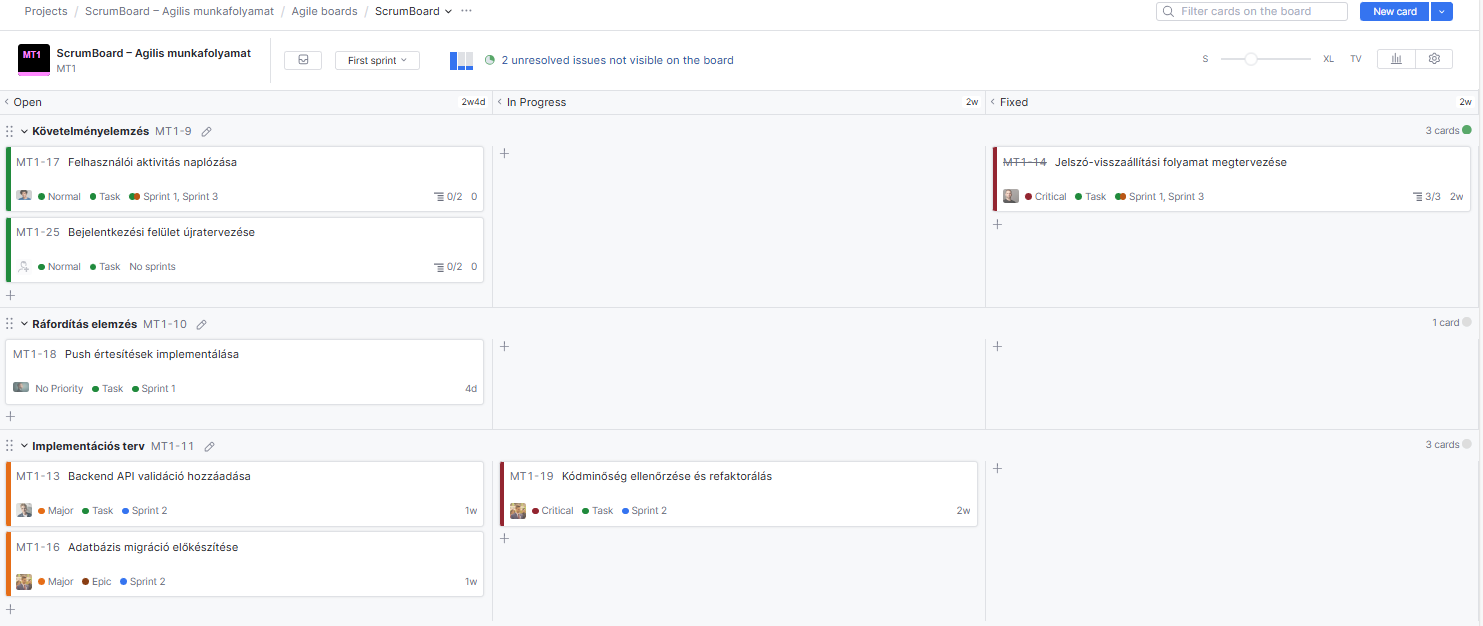
The team uses a Scrum board where:
- Swimlanes: each swimlane represents a user story. This means that when you add a user story to the board, it automatically creates a swimlane.
- Columns: defined based on the State field:
- Open: new tasks that haven’t been started yet
- In Progress: tasks currently being worked on
- Review: completed tasks under review
- Fixed: permanently closed, resolved tasks
The backlog only contains user stories that are not yet on the board.
⚙️ Workflow Rules – How They Work
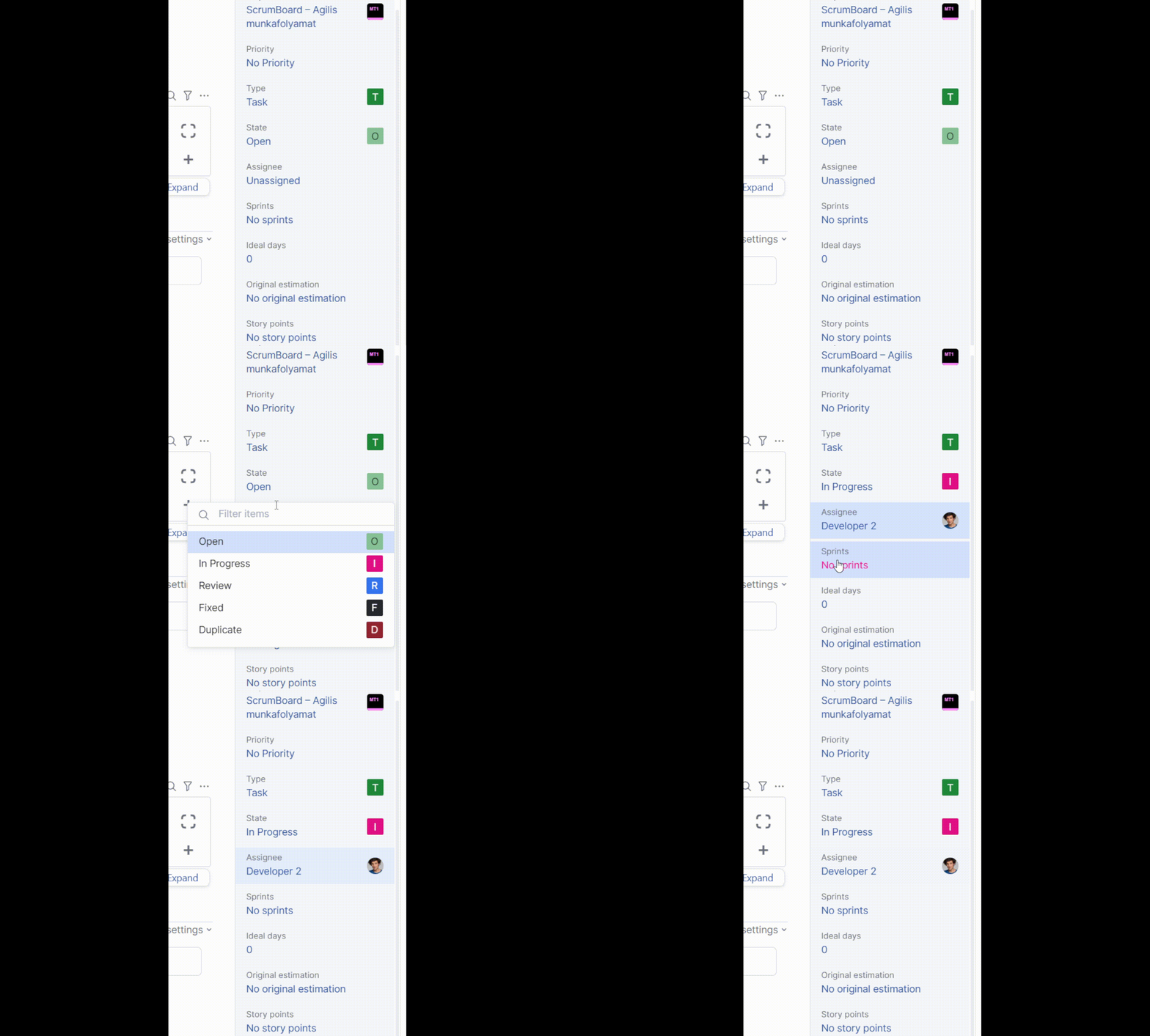
- Automatic Assignee Change: When someone moves a card (task) to another column – for example, Open → In Progress – they automatically become the assignee, i.e., the responsible person.
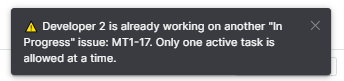
- Only One “In Progress” Task at a Time: The system ensures that a team member cannot have more than one task in the In Progress state. If someone tries to move a second task into this state, the system rejects the action and sends a warning.
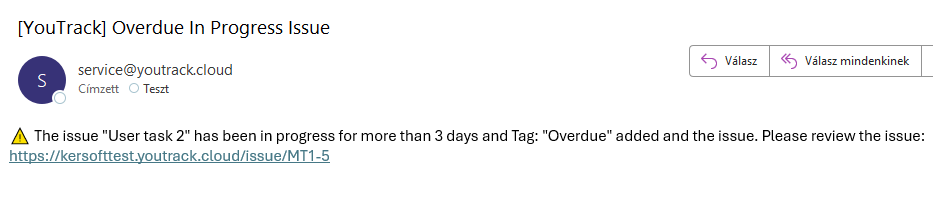
- Three-Day Limit in “In Progress” State:
- Sends a notification to the assignee.
- Marks the task with an “Overdue” tag.
- Either finish the work.
- Or break the task into smaller parts if it’s too large.
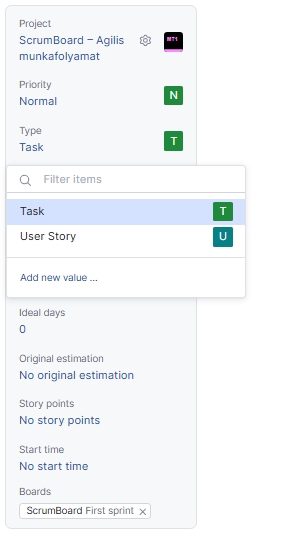
1. Issue types
In the Type fields there are two opportunity:
- User Story
- Task
2. Links
3. Scrum Board
Automatic Assignee Change
When someone moves a card (task) to another column – for example, Open → In Progress – they automatically become the assignee, i.e., the responsible person.
Only one „In Progress” task
The system ensures that a team member does not have more than one task in the In Progress state.
If someone tries to move a second task into this state, the system rejects the action and sends a warning.
Three-Day Limit in “In Progress” State
Sends a notification to the assignee.
Marks the task with an “Overdue” tag.